Setting up a 4G trail camera
Check coverage, activate the plan, confirm signal on site and choose settings that keep data use and battery drain down on a 4G (cellular) trail camera.
- Time
- 45 minutes
- Difficulty
- Medium
- Cost
- Higher cost
- Steps
- 7
- Checked
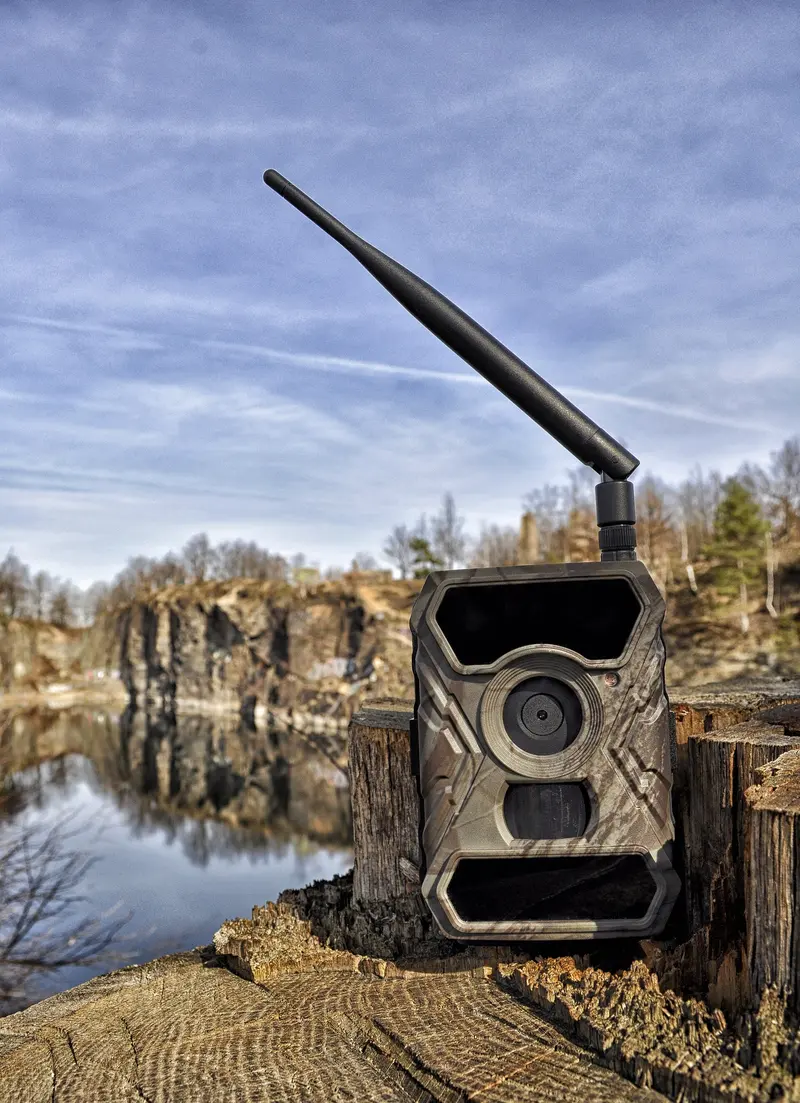
What you’ll need
- 4G trail camera and its app
- Smartphone
- SD card within the camera's supported size
- Lithium AA batteries Search Amazon for lithium AA batteries
As an Amazon Associate we earn from qualifying purchases. The Amazon links go to search results, so you can compare what’s available.
Safety first
- UK 3G networks have been switched off, so only buy 4G (or newer) cellular cameras.
- Remote viewing makes it easy to watch beyond your boundary. Keep the camera pointed at your own land. See privacy and neighbours.
Step by step
-
Step 1: Check coverage at the exact spot
Enter the postcode into Ofcom's Map Your Mobile. It shows predicted 4G/5G coverage for each network in 50 m squares. Ofcom notes that trees and buildings can make real signal differ from the prediction. Ofcom's 2025 figures put 4G from at least one operator at 96% of UK landmass, and from all four at about 89–90%, so remote sites can still be patchy. Trailcampro says the best signal at the camera's location is the key factor.
Next: step 2 -
Step 2: Understand how the plan works
Cellular cameras send pictures over the mobile network to the maker's app. Plans are usually bought from the camera maker rather than your phone network, and each camera needs its own active plan. Structures vary. Some makers offer a free tier (a UK retailer lists Spypoint's at up to 100 images a month), others offer unlimited or tiered plans, and HD photos or full videos may cost extra. Check current UK prices on the maker's site before buying.
Next: step 3 -
Step 3: Install the app and register the camera
Install the maker's app, create an account and add the camera, usually by scanning a QR code or entering its serial number, as described in Bushnell's quick start. Activate the plan in the app.
Next: step 4
-
Step 4: Fit batteries and SD card, then power on at the site
Use the batteries the manual recommends (Bushnell recommends lithium AAs) and an SD card within the supported size. Switch on where the camera will be mounted, because it needs to find a network there.
Next: step 5 -
Step 5: Confirm signal before closing the case
Bushnell's manual says to check the signal meter before closing up, as weak signal can interrupt service and shorten battery life. If signal is poor, try a little higher up or a few metres away, and keep the antenna clear of the trunk if possible.
Next: step 6 -
Step 6: Choose data-friendly settings
Thumbnails use little data. Bushnell's cameras send a full video only when you request it in the app, and all videos stay on the SD card. As a guide, Trailcampro quotes Bushnell file sizes of about 0.1 MB for a normal image, 1.69 MB for an HD image and 11.9 MB for a 20-second video. Fewer photos per trigger and a longer delay also reduce uploads and battery drain.
Next: step 7 -
Step 7: Send a test and monitor
Walk in front of the camera or send a test from the app, then check the photo arrives. Over the first few days, keep an eye on battery level and data use in the app.
Tips
- If a camera offers automatic selection between UK networks, it can help at sites where coverage varies.
- A solar panel approved by the maker can help offset the extra drain from transmitting. See batteries and power.
- Some cellular products sold in the UK are only guaranteed to work in the UK, so check before taking one abroad.
Questions people ask
Can I use my own SIM card?
It depends on the camera. Many cellular trail cameras use the maker's own plan, bought in the app. Check the manual or maker's site before buying.
Do I need a plan for each camera?
Usually yes. Bushnell, for example, says each camera must have an active data plan to send images.
How do I know if there's signal where I want the camera?
Check Ofcom's Map Your Mobile for the postcode, then confirm with the camera's own signal meter on site before closing it.
Will 4G drain my batteries faster?
Transmitting uses power, and weak signal makes it worse, according to Bushnell. Fewer, smaller uploads help.
Sources
Checked 18 October 2026. We wrote this guide in our own words, using:
- Ofcom: Map Your Mobile coverage checker (ofcom.org.uk)
- UKAuthority: Ofcom launches mobile coverage checker (ukauthority.com)
- ISPreview: Ofcom Connected Nations 2025 coverage figures (ispreview.co.uk)
- Ofcom: Connected Nations / Nations report 2025 (ofcom.org.uk)
- Ofcom: 3G switch-off (ofcom.org.uk)
- Bushnell Cellucore 30 instruction manual (copy hosted by Adorama) (adorama.com)
- Trailcampro: trail camera data plans (trailcampro.com)
- NHBS: Spypoint LINK-MICRO-S listing (UK retailer) (nhbs.com)
- NHBS: Spypoint Cell-Link listing (UK retailer) (nhbs.com)
- eufy UK: choosing a cellular security camera (eufy.com)
Was this guide helpful?
Report a problem with this guide
Printed from wildlifetrailcameras.co.uk/guides/setting-up-a-4g-trail-camera/ · Checked 18 October 2026 · Research reviews, not hands-on tests: specifications come from manufacturers and findings from the independent reviewers we link to. Check the law before filming beyond your own property.