How to choose a trail camera
Work out what you want to film and where, then match the camera's trigger speed, night lighting, power and connectivity to that job instead of chasing headline megapixels.
- Time
- 30 minutes
- Difficulty
- Easy
- Cost
- Moderate cost
- Steps
- 8
- Checked
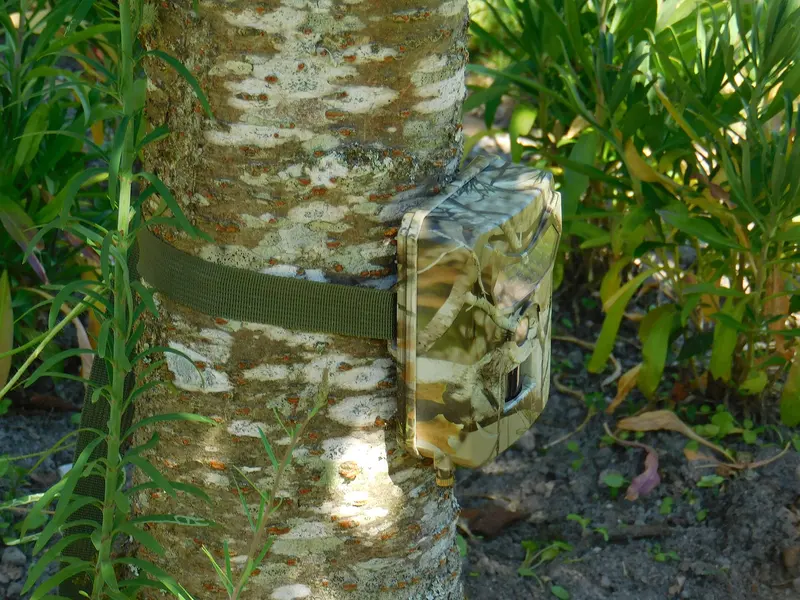
What you’ll need
- A note of what you want to film and where
- Your phone, to check mobile signal if you're considering 4G
Safety first
- UK 3G networks have been switched off, so an older 3G cellular camera won't send pictures.
- Pointing any camera beyond your own property raises privacy issues. See our guide on privacy and neighbours.
Step by step
-
Step 1: Start with the job, not the spec sheet
Write down what you most want to see, such as hedgehogs on the lawn, a badger path, birds at a feeder, or the gate to your allotment. It also matters whether you need pictures sent to your phone or are happy to check an SD card. The answers decide almost everything else. A garden camera checked weekly has very different needs from one on a remote fence post.
Next: step 2 -
Step 2: Prioritise trigger speed and recovery
Trigger speed is the gap between the sensor noticing movement and the photo being taken. Recovery time is how quickly the camera can take the next triggered shot. A slow trigger gives you pictures of tails or empty grass. Fast trigger and recovery are what collect the most usable images. Makers publish both figures. Bushnell's Cellucore 30, for example, lists 0.8 seconds for photos and 2 seconds for video.
Next: step 3 -
Step 3: Choose the night lighting that suits you
Most cameras light the scene with infrared LEDs, so night images are black and white. Low glow (about 850 nm) shows a faint red glow but generally gives better range and image quality. No glow (about 940 nm) is invisible to people, which suits security, but NatureSpy puts the cost at roughly 30% of brightness and range. White flash gives colour at night but is visible. See night vision explained.
Next: step 4
-
Step 4: Don't be swayed by huge megapixel numbers
Many trail cameras use a sensor of a few megapixels and use software to blow images up to 24–48 MP. That makes files bigger without adding detail. Compare real sample photos and videos rather than headline numbers. Our specs explained guide covers this.
Next: step 5 -
Step 5: Decide between SD-card and 4G models
A standard camera saves to an SD card that you collect. A 4G (cellular) camera also sends images to an app, but it needs mobile signal where it is mounted and an active data plan for each camera. Check your site on Ofcom's Map Your Mobile before buying. Avoid any 3G-only model, as UK 3G networks have been switched off.
Next: step 6 -
Step 6: Check power options
Most cameras take AA batteries, and the manuals often recommend lithium. Some take an external battery pack or solar panel through a DC socket, but only use the accessories the maker approves. If the camera will run for months or in winter, read batteries and power before you buy.
Next: step 7 -
Step 7: Read the manual's limits before you buy accessories
Check the maximum SD card size and type (some cameras only accept cards up to 32 GB), the battery count and whether rechargeables are allowed. Also check for a strap, a standard 1/4"-20 tripod socket and a lock point. Many makers publish the manual online, so you can check before ordering.
Next: step 8 -
Step 8: Look for independent sample footage
Specs are claims. Daytime and night-time sample clips from independent reviewers or wildlife groups show how a camera really performs, especially night blur and how quickly it triggers.
Tips
- For small British mammals such as hedgehogs, a camera with adjustable sensitivity is useful. NatureSpy says higher sensitivity is generally better for small heat signatures.
- If you'll mostly film one spot close up, short night range doesn't matter much. Trigger speed and image quality matter more.
- Budget for lithium AA batteries and a suitable SD card on top of the camera price.
| If you mainly want… | Look for |
|---|---|
| Hedgehogs and small mammals in a garden | Adjustable sensitivity, good close-range night images |
| Badgers or foxes on a path | Fast trigger and recovery, good night range |
| Security at a gate or allotment | No-glow IR, lock point, possibly 4G |
| Remote site checked rarely | Lithium or external/solar power, large supported SD card, possibly 4G |
Questions people ask
Is a more expensive camera always better?
Not always. Look at trigger speed, recovery time, night image samples and the power options for your use, rather than price or megapixels alone.
Do I need a 4G trail camera?
Only if you want images sent to your phone, for example for a remote site or security. A 4G camera needs mobile signal where it's mounted and a data plan for each camera.
Which night vision is best for wildlife?
NatureSpy suggests low glow where possible because it gives better range and image quality. Animals generally react similarly to low and no glow. No glow suits places where people might spot and steal the camera.
What does trigger speed mean?
It is the delay between the sensor detecting movement and the photo being taken. Shorter is better for fast animals.
Sources
Checked 18 October 2026. We wrote this guide in our own words, using:
- Trailcampro: trail camera anatomy (trailcampro.com)
- NatureSpy: basic features and settings of trail cameras (naturespy.org)
- Bushnell Cellucore 30 instruction manual (copy hosted by Adorama) (adorama.com)
- Ofcom: Map Your Mobile coverage checker (ofcom.org.uk)
- Ofcom: 3G switch-off (ofcom.org.uk)
Was this guide helpful?
Report a problem with this guide
Printed from wildlifetrailcameras.co.uk/guides/how-to-choose-a-trail-camera/ · Checked 18 October 2026 · Research reviews, not hands-on tests: specifications come from manufacturers and findings from the independent reviewers we link to. Check the law before filming beyond your own property.